Devlog: Behind the Scenes
Hey everyone!
Today, we want to pull back the curtain on development and show how we bring our characters to life.
Animation of game models starts long before the first sprite appears in Unity. Even at the drawing stage, the animator needs to understand what the object will actually do: how it moves and attacks, which parts will have a life of their own, and which will follow the rest.
That’s why the artist draws the model in separate parts right away. It helps avoid extra work…
Well, only in a perfect world 😌
For example, at first, we drew the chests of our lady units as separate elements. The plan was ambitious: to animate weapon recoil, movement during attacks, and sword swings. But after the first couple of models, it became clear that at our on-screen character scale, and with all the effects constantly covering everything, you simply can’t see it.
So we had to drop the idea… although, we’ll admit, not everywhere 👀
To show how all of this works in practice, let’s break down the animation pipeline using one of our bosses as an example: Lady Crab.
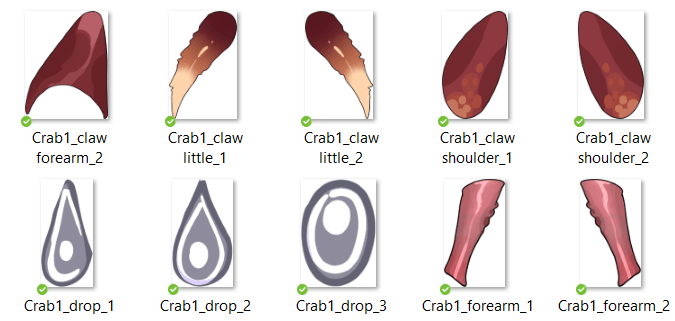
Once the model is drawn, assembly begins. In Unity, it looks like a puzzle made of dozens of pieces.
Each sprite gets its own separate object in the prefab, with its own material and settings. The more complex and detailed the model, the more of these objects there are. In Lady Crab’s case, it turns into a small nightmare 🙂
But that’s the price of convenience: this approach lets us animate the model using standard Unity tools, without hacks or magic. With experience, even the ‘heaviest’ bosses stop being scary.
The model is assembled using the artist’s reference, and layer depth is set simply by coordinates in 3D space. The game uses an orthographic camera, so we can afford tricks like this. They save a ton of time and make life much easier for the animator.
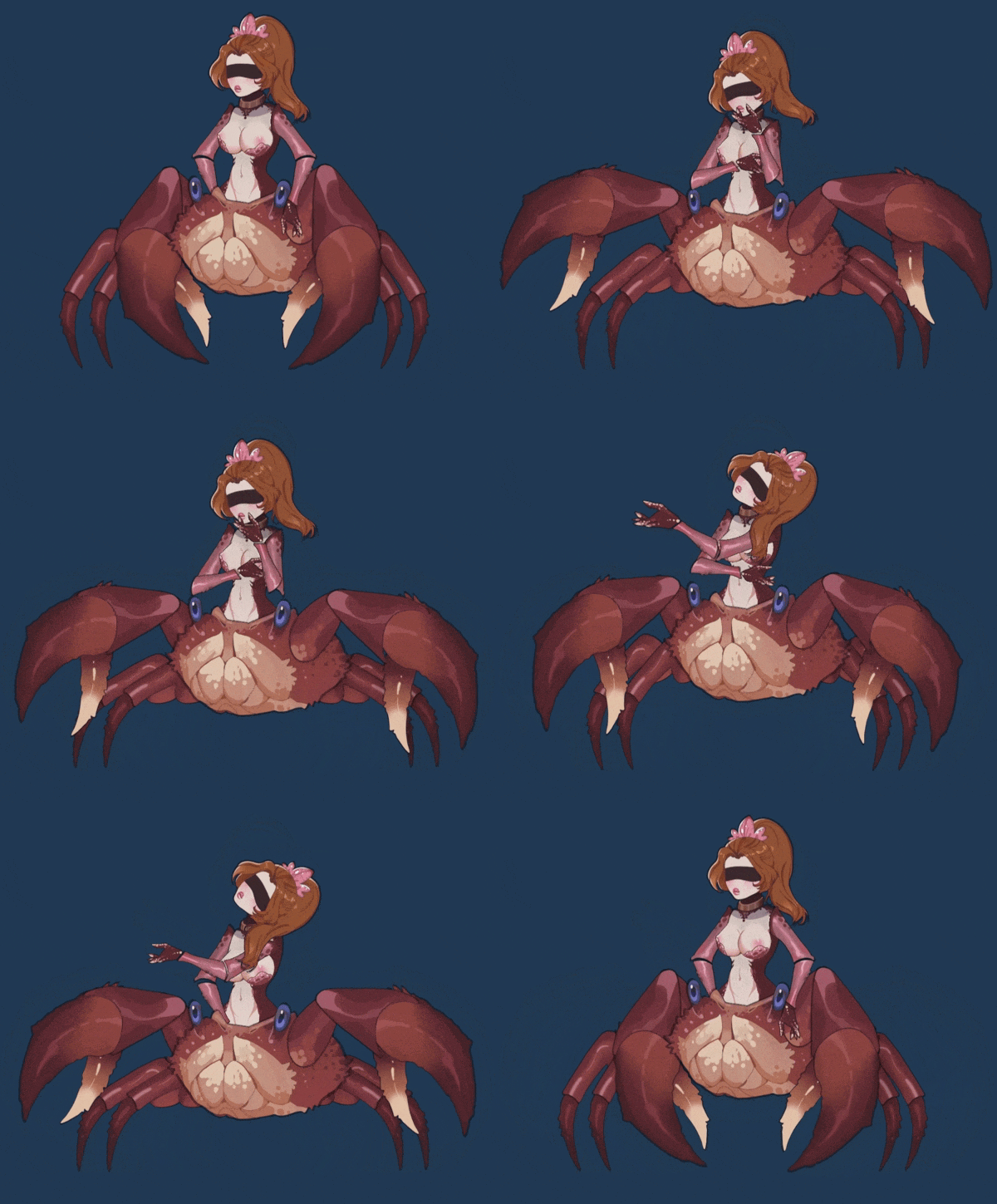
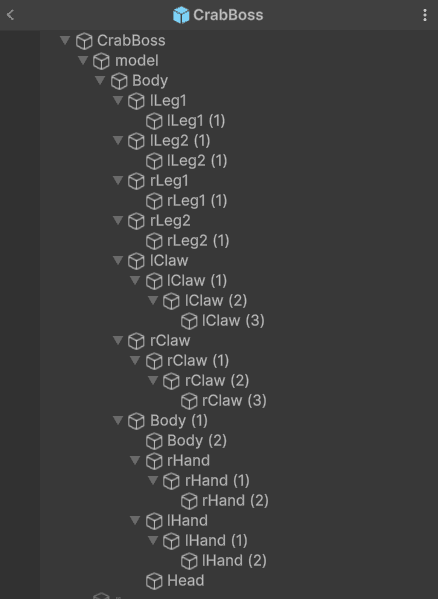
Next comes working with dependencies.
If an object has a logical ‘parent’, for example, the chest and the body, one is nested inside the other. This helps movements look smoother and more natural.
But you shouldn’t always follow this rule.
For our lady units, for example, the arms aren’t attached to the body. They’re stylized as ‘cup hands’, and building complex connections there just doesn’t make sense. Lady Crab, on the other hand, is serious business: each claw consists of three parts, and without a hierarchy, there’s no way around it.
After all that prep, the most interesting part begins: animation.
First, you have to come up with something cool, and then make it look exactly the way you imagined it. It’s a long process of keyframes, tweaks, more tweaks, and a few more tweaks.
First, we create a rough animation.
For example, Lady Crab raises a claw and brings it down. That means we animate only the claw and don’t touch anything else. We set keyframes, adjust timing so it doesn’t look like slow-mo, or the opposite.
And then the polishing starts.
The body is a system of connected elements. You pull an arm, and the torso shifts a bit. You make a sharp movement, and the head, legs, and second claw respond. So step by step, the rough animation gets layered with details: the body lifts slightly, a leg shifts, the other claw moves into counterbalance.
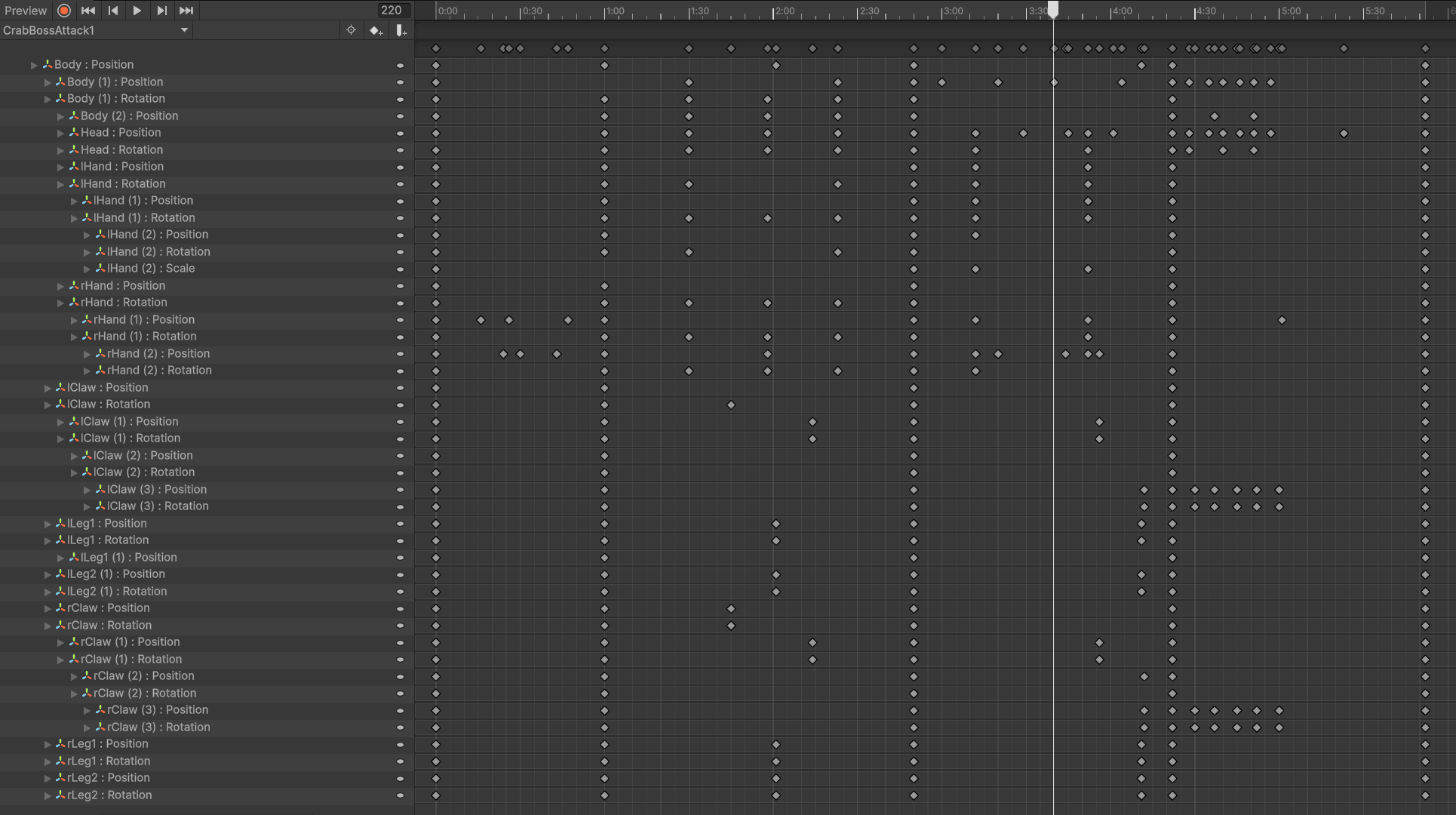
Exactly these little details create a sense of life.
But it’s important to know when to stop, of course. Many micro-movements simply aren’t visible at this model scale, and sometimes they have to be exaggerated so the player notices the animation at all. On a big screen, these motions might look sharp, but in-game, they look exactly the way they should.
After polishing, the model moves on to the next stage: adding effects.
They also often overlap the animation, but without them, everything would feel flat. And only after that can the character be considered finished and sent straight into the game.
If you enjoy watching the project grow and fill in with details, add it to your wishlist. It helps development a lot, motivates the team, and lets us know we’re doing all this for a reason.
Thanks for reading, following along, and staying with us 💜
See you in the next devlog!